3-浮动

3-浮动

CSS浮动

浮动

浮动简介

通过浮动可以使一个元素向其父元素的左侧或右侧移动

使用float属性来设置于元素的浮动

  • none 默认值,元素不浮动
  • left 元素向左浮动
  • right 元素向右浮动

浮动特点

  1. 浮动元素会完全脱离文档流,不再占据文档流中的位置
  2. 设置浮动以后,元素会向父元素的左侧或右侧移动
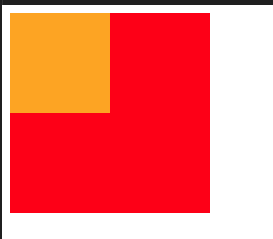
  3. 浮动元素默认不会从父元素中移出
1
2
3
4
5
6
7
8
9
10
11
12
13
14
15
16
17
<style>
.box1 {
width: 100px;
height: 100px;
background-color: orange;
float: left;
}

.box2 {
width: 200px;
height: 200px;
background-color: red;
}
</style>

<div class="box1"></div>
<div class="box2"></div>

不会从父元素种移出

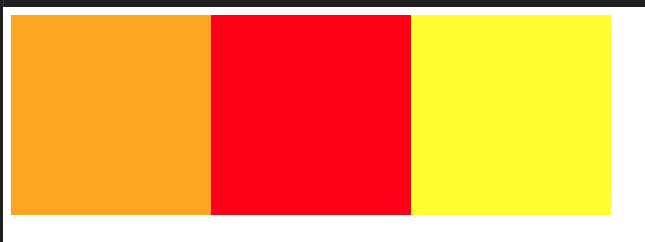
  1. 浮动元素向左或向右移动时,不会超过前边的浮动元素(先来后到的顺序)
1
2
3
4
5
6
7
8
9
10
11
12
13
14
15
16
17
18
19
20
21
22
23
24
25
26
<style>
.box1 {
width: 200px;
height: 200px;
background-color: orange;
float: left;
}

.box2 {
width: 200px;
height: 200px;
background-color: red;
float: left;
}

.box3 {
width: 200px;
height: 200px;
background-color: yellow;
float: left;
}
</style>

<div class="box1"></div>
<div class="box2"></div>
<div class="box3"></div>

不会超过前面的元素

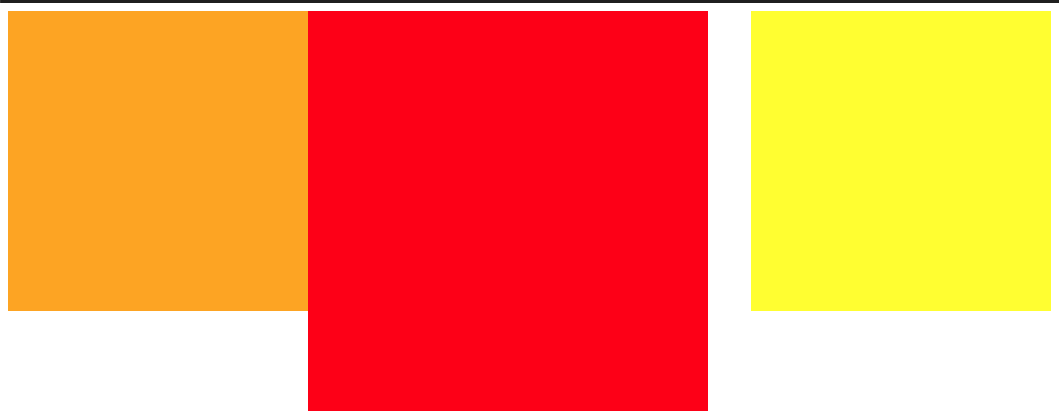
  1. 浮动元素不会超过上边的浮动的兄弟元素,最多就是和它一样高
1
2
3
4
5
6
7
8
9
10
11
12
13
14
15
16
17
18
19
20
21
22
23
24
25
26
<style>
.box1 {
width: 300px;
height: 300px;
background-color: orange;
float: left;
}

.box2 {
width: 400px;
height: 400px;
background-color: red;
float: left;
}

.box3 {
width: 300px;
height: 300px;
background-color: yellow;
float: right;
}
</style>

<div class="box1"></div>
<div class="box2"></div>
<div class="box3"></div>

最多和兄弟同高

  1. 如果浮动元素的上边是一个没有浮动的块元素,则浮动元素无法上移
1
2
3
4
5
6
7
8
9
10
11
12
13
14
15
16
17
18
19
20
21
22
23
24
25
26
27
28
    <style>
/* 不浮动 */
.box1 {
width: 200px;
height: 200px;
background-color: orange;
}
/* 向左浮动 */
.box2 {
width: 200px;
height: 200px;
background-color: aqua;
float: left;
}
/* 不浮动 */
.box3 {
width: 300px;
height: 300px;
background-color: rgb(34, 31, 31);

}
</style>
</head>
<body>
<div class="box1"></div>
<div class="box2"></div>
<div class="box3"></div>
</body>

浮动不能超过上一个未浮动的位置

  1. 浮动元素不会盖住文字,文字会自动环绕在浮动元素的周围,所以可以利用浮动来设置文字环绕图片的效果

浮动目前来讲它的主要作用就是让页面中的元素可以水平排列,通过浮动可以制作一些水平方向的布局

脱离文档流的特点

块元素:

  • 块元素不再独占页面的一行
  • 脱离文档流以后,块元素的宽度和高度默认都被内容撑开
1
2
3
4
5
6
7
8
<style>
.box1{
background-color: aqua;
/* 浮动后 hello从原本占一样 变为hello文本长度 */
float: left;
}
</style>
<div class="box1">hello</div>

块元素浮动后

行内元素:

  • 行内元素脱离文档流以后会,特点和块元素一样
  • 脱离文档流之后的特点很像行内块元素,不过存在一些差异